
From collection to report, automatically
Every NIVHA test runs on a pipeline we built ourselves — a purpose-built collector app, automation that generates and emails reports in real time, and tracked delivery to ISO 17025 accredited laboratories. You see results sooner.
The pipeline
What happens when you book a test
Four stages, most of them automatic. The line below is the journey every sample takes — scroll to follow it.
Collection, captured on the spot
Our collectors work from a purpose-built app on every visit. Consent, donor details and the chain of custody are captured digitally at the point of collection — no paper forms, no transcription, no gaps.
Reports in your inbox instantly
The moment a collection completes, automation takes over. The screening result and collection report are generated and emailed in real time — encrypted and password-protected. For a workplace screen, the result is often with you before the collector has left the building.
Non-negatives to the laboratory
Any non-negative screen is sealed, packed and posted — tracked door to door to ISO 17025 accredited laboratories for confirmation analysis, with the chain of custody recorded at every step.
Result released without delay
As soon as the laboratory result returns, it is emailed to you the same secure way, encrypted, password-protected and ready for the file. MRO review is available on request.
In development
A client interface, built on the same pipeline
We are building a secure client interface for workplace clients: results, analytics and downloadable reports in one place, live from the same systems that run every test. Premium workplace clients will be first.
Three screens from the early design are shown below.
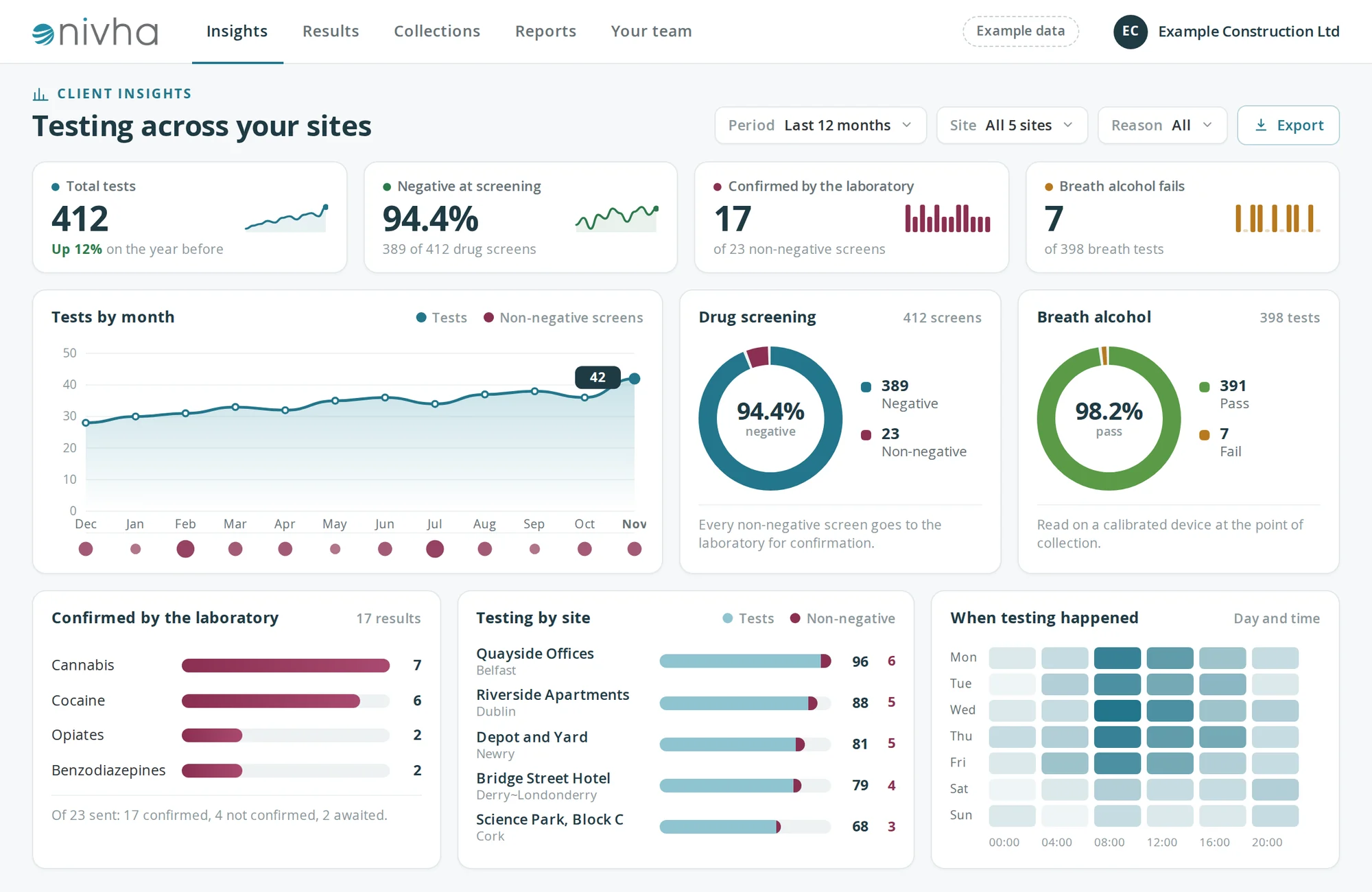
Insights
Your whole programme at a glance
How many tests took place, where, and how results are trending. Narrow it to any period, site or reason for testing.
- Tests by month, by site and by time of day
- Screening results beside those confirmed by the laboratory
- Breath alcohol results in the same view
Results
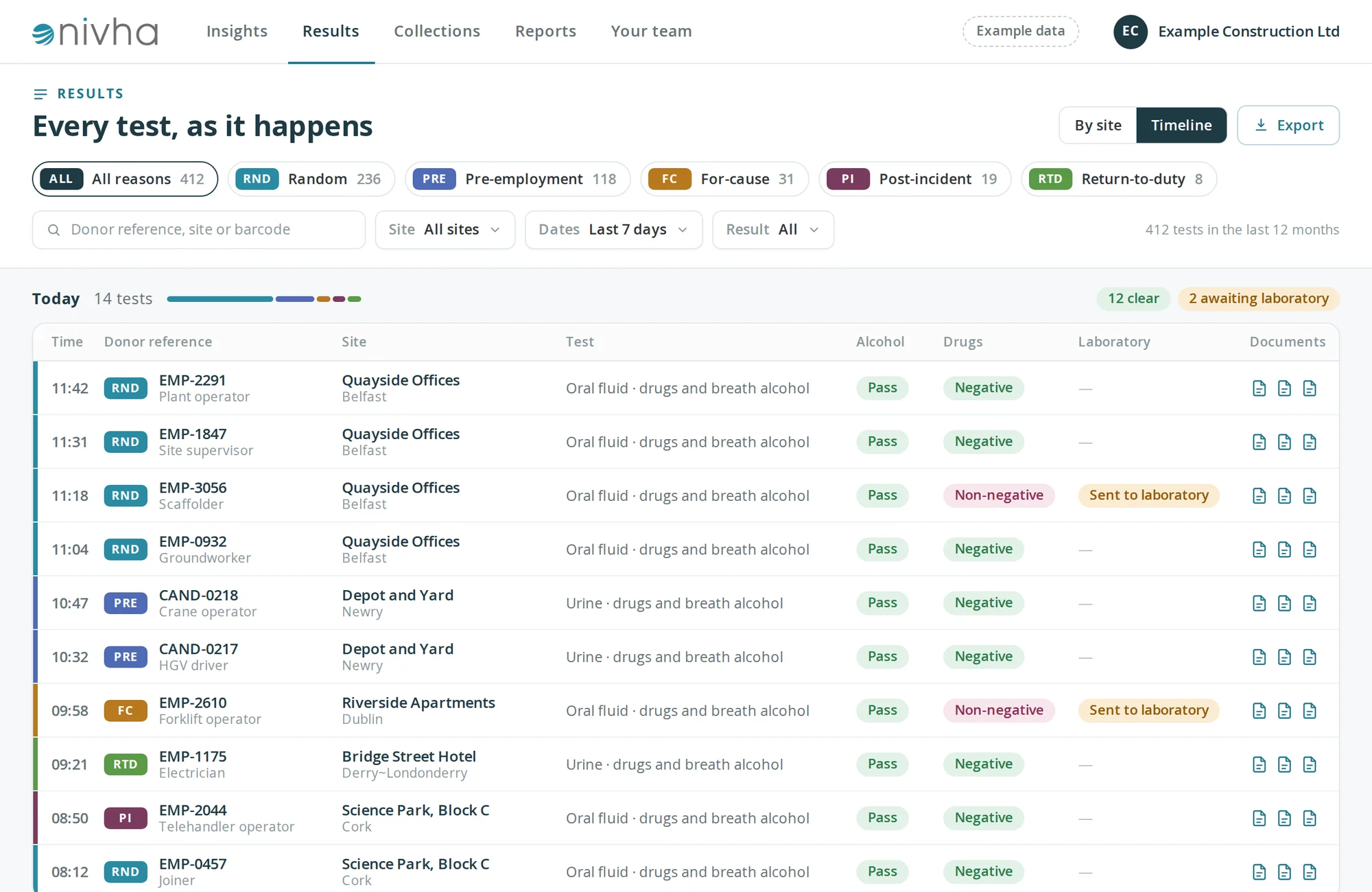
Every test in one list, as it happens
Each test appears as it is completed, with its documents attached. Filter by reason for testing, site, date or result.
- Random, pre-employment, for-cause, post-incident and return-to-duty
- Breath alcohol and drug screen results side by side
- Laboratory status for any non-negative screen
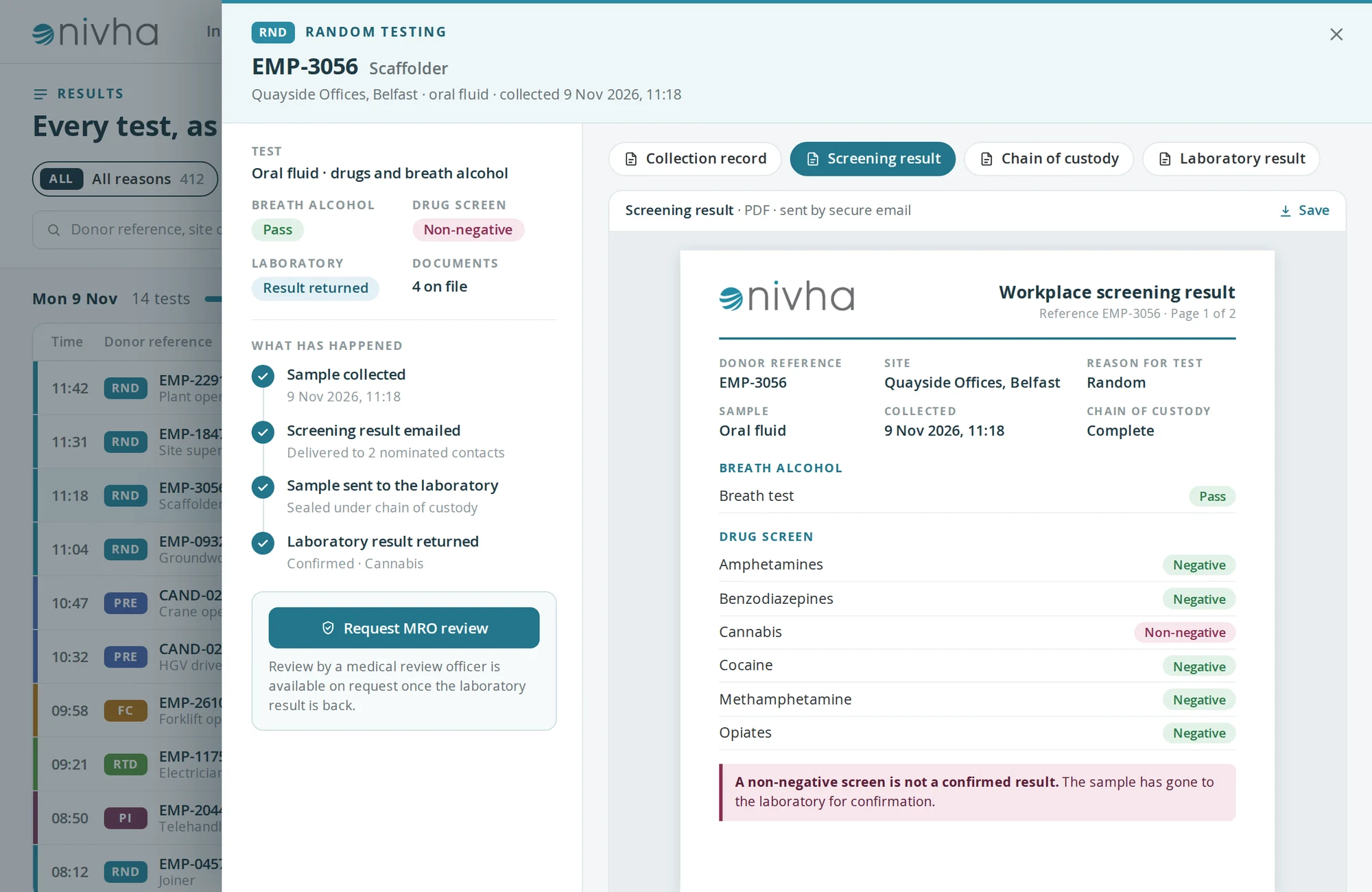
Result detail
One test, from collection to laboratory result
Open any test to see what has happened so far and to read each document.
- Collection record, screening result, chain of custody and laboratory result
- Each step dated and timed
- MRO review available on request once the laboratory result is back
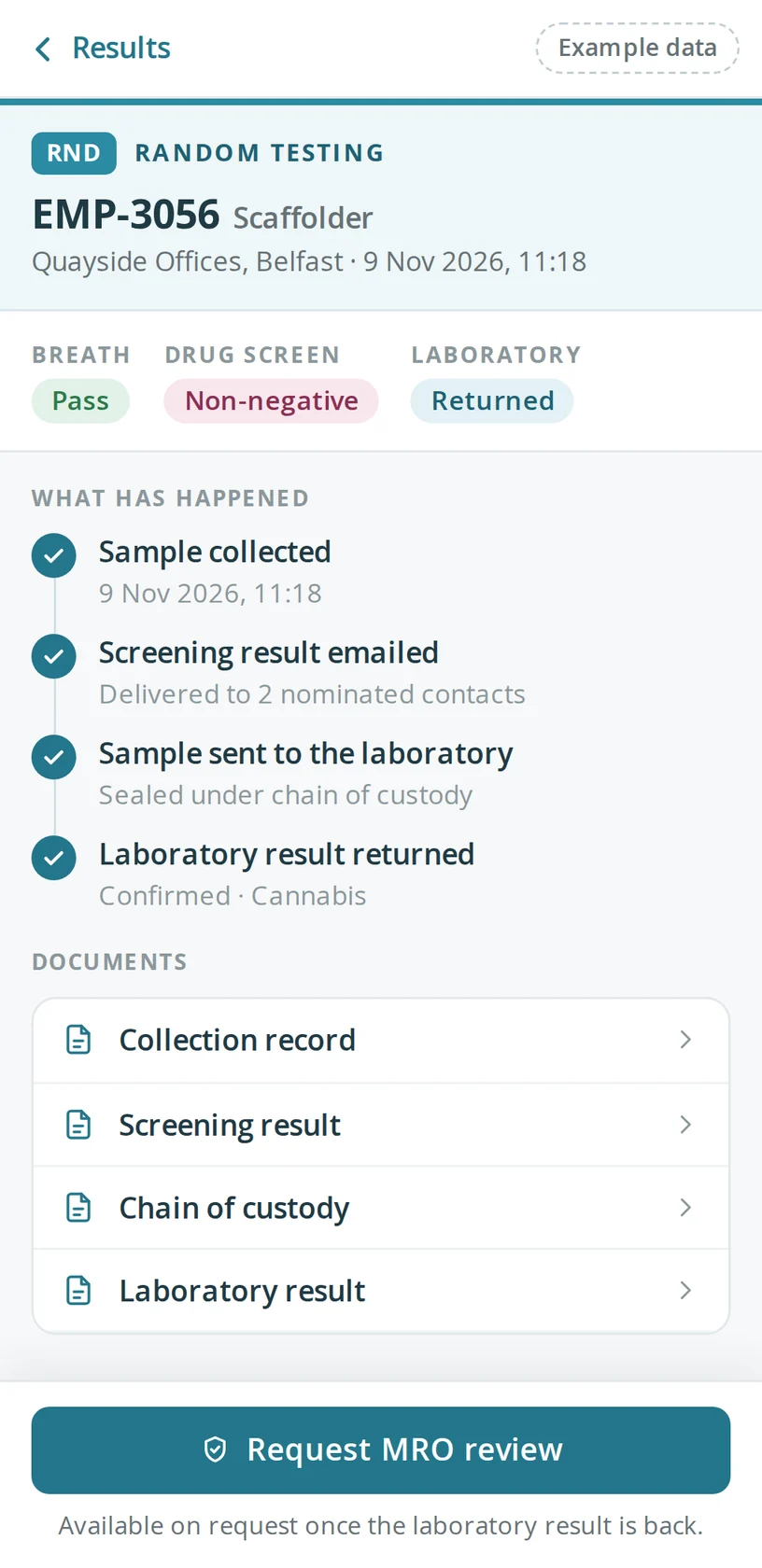
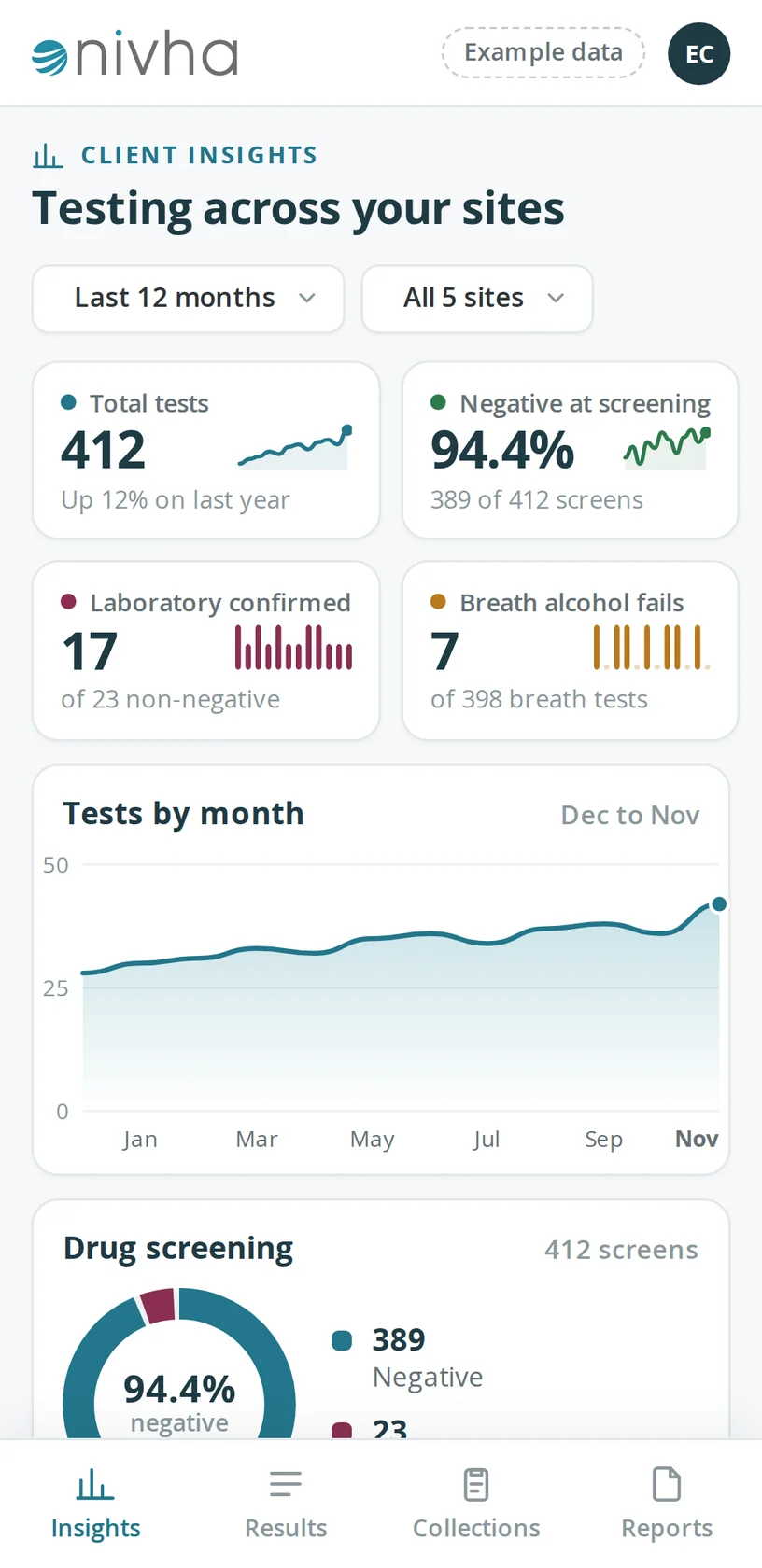
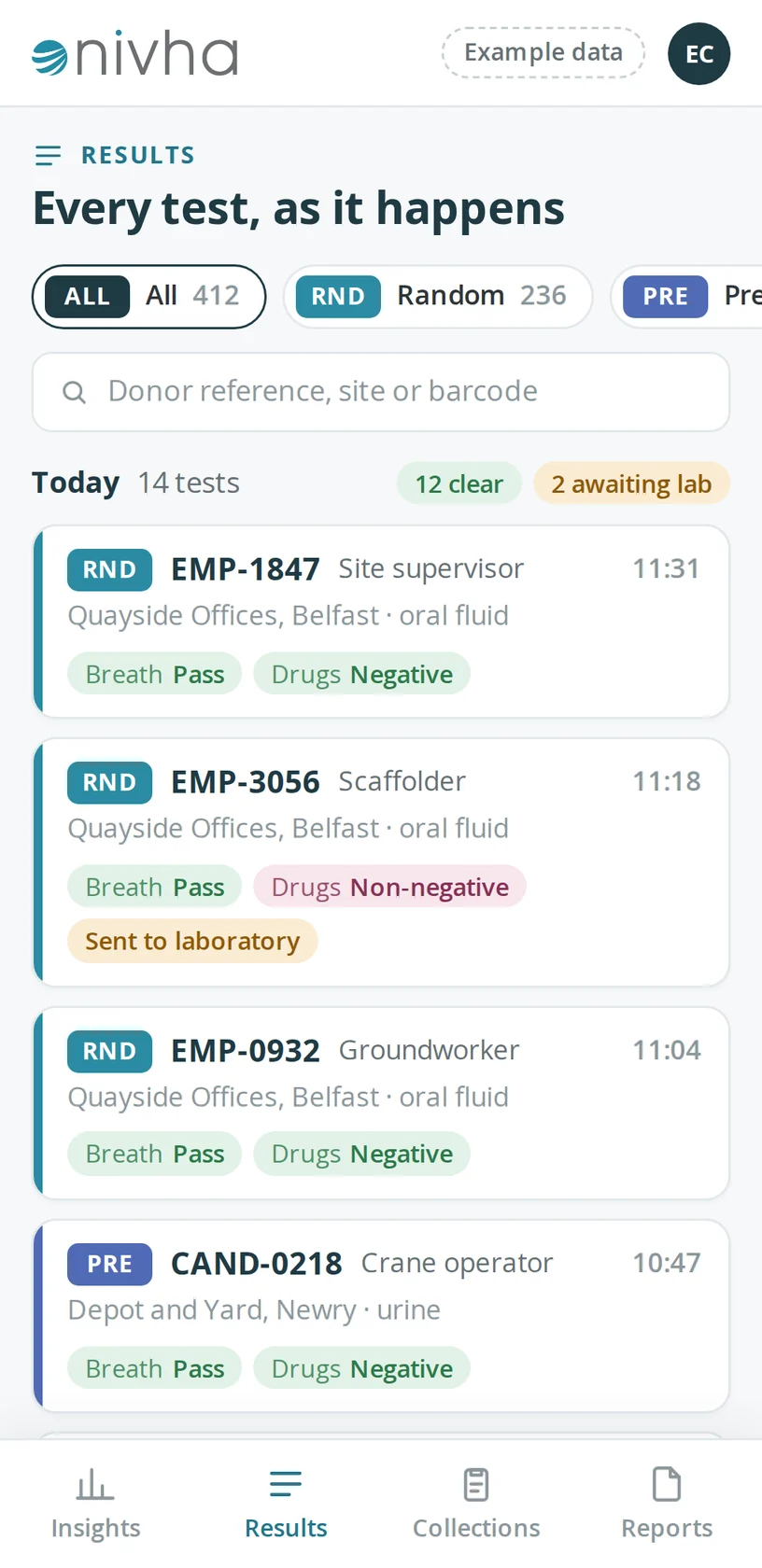
On your phone
The same information, laid out for a phone
Each screen is also laid out for a phone, so a result can be checked from site.
Early preview with example data and a fictional company. The final design may change.
Register interestTechnology, partnered with expertise
Technology works best alongside expert guidance. From in-house testing support to comprehensive workplace insights, we combine both — including our online fee note generator, which produces fee notes in the format needed for legal aid or financial approval in minutes.
See how our technology supports your testing programme
Contact us for a walkthrough of the platform and how it fits your organisation.
Contact us